A QR code e-menu on a link in your restaurant’s name
A digital food menu on a link of your own, edited from your phone and live for the guest a second later.
Built forRestaurantsCafésHome kitchens
We set you up remotely, anywhere in Saudi Arabia
A link and a QR code in your shop’s name
Every shop gets a menu link of its own with a QR code you print for the table or the window. The guest points a camera at it and the menu opens in his browser, with no app to install and nothing to sign up for.
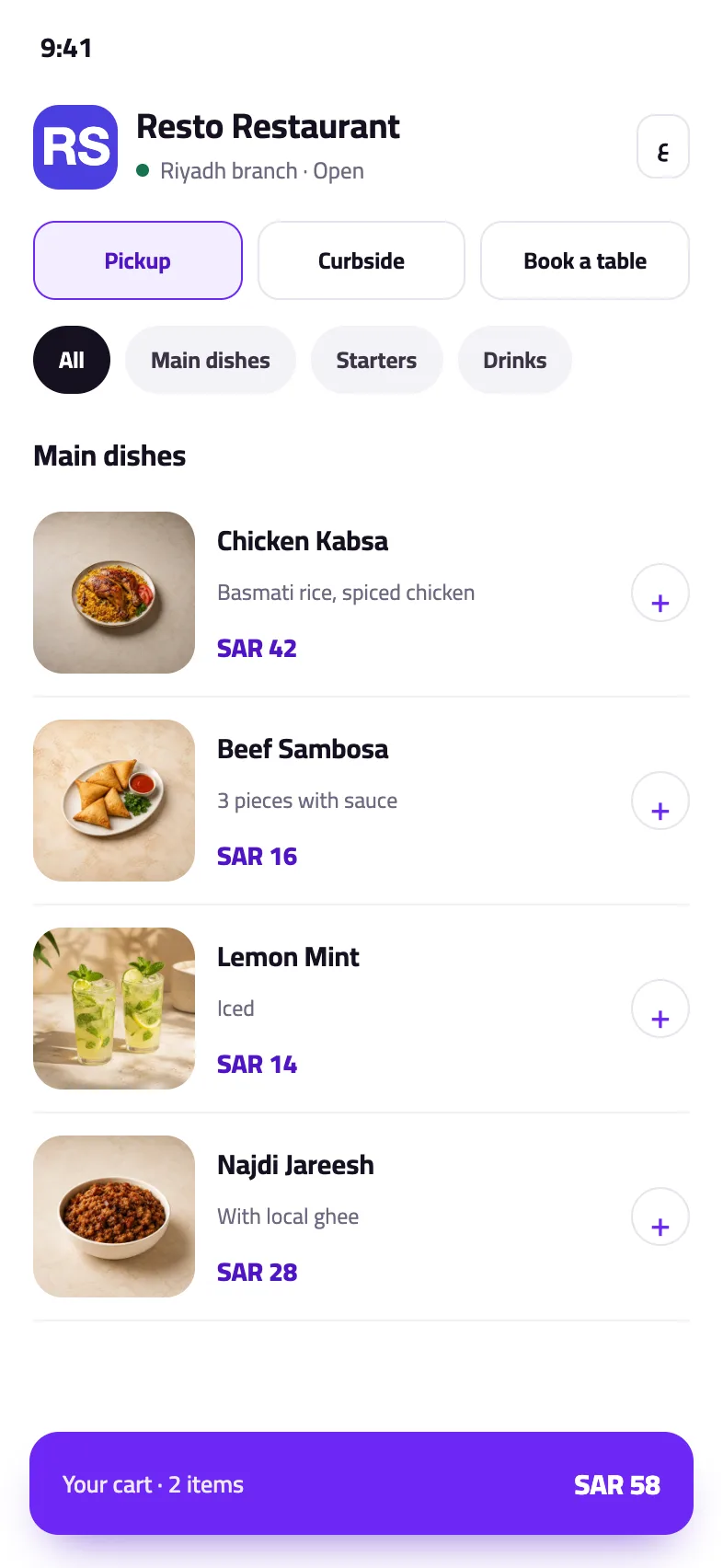
Arabic and English in the same menu
Write each item’s name and description in Arabic and in English, and set your site’s default language. The guest switches language himself from the top of the page and his choice stays with him.
Photos and prices you edit yourself
Upload a photo for each item, change a price, and reorder the sections whenever you like. An item you have run out of is hidden with one tap instead of being deleted and typed in again.
Ordering and booking come with the operations plans
The menu plan shows your list and nothing else. If you want the guest to order from the menu or book a table, the operations plans open ordering and bookings and carry them to your till and kitchen.
How to start
- Choose a menu or operations planThe menu on its own, or the menu with the till and ordering. Start small and grow later.
- Upload your sections and itemsName, price and photo, in Arabic and English, uploaded with you remotely if you prefer.
- Print your codeOne code for the shop and one per table. Putting them up is the last step.
Plans
Every plan and its price is on the home page, with no binding contract.
See the plansCommon questions
Can I change prices myself?
Yes, from the items screen. The change reaches the guest at once with no reprinting, because the code points at your link rather than at the menu itself.
Does the menu show in English?
Yes. Every item carries a name and description in Arabic and in English, and the guest has a button to switch the page language.
Do I need the till to have a menu?
No. There is a plan for the menu alone, showing your list on a link with a QR code. Ordering and bookings come with the operations plans.
Does each table get its own code?
Yes. You can print a code per table that opens your menu and identifies the table, or a single code for the whole shop.
Set up your shop’s menu
Upload your items, print your code, and look at the menu on your own phone before you put it up. No bank card.
Try it free