A table reservation system, from your site and your till
Your guest books from your restaurant’s link, and you see the whole day on one screen.
Built forRestaurantsTable-service restaurantsCafés
We set you up remotely, anywhere in Saudi Arabia
Booking from your restaurant’s link
A booking page on your restaurant’s link: the guest picks the day, the time, the party size and the area, and writes a special request if he has one. He signs in to your site before confirming so he can follow his bookings afterwards.
Your hours, per day and per meal
Set, for each day of the week, when booking starts and ends and how long one slot runs, separately for breakfast, lunch and dinner. Closed days shut their own slots.
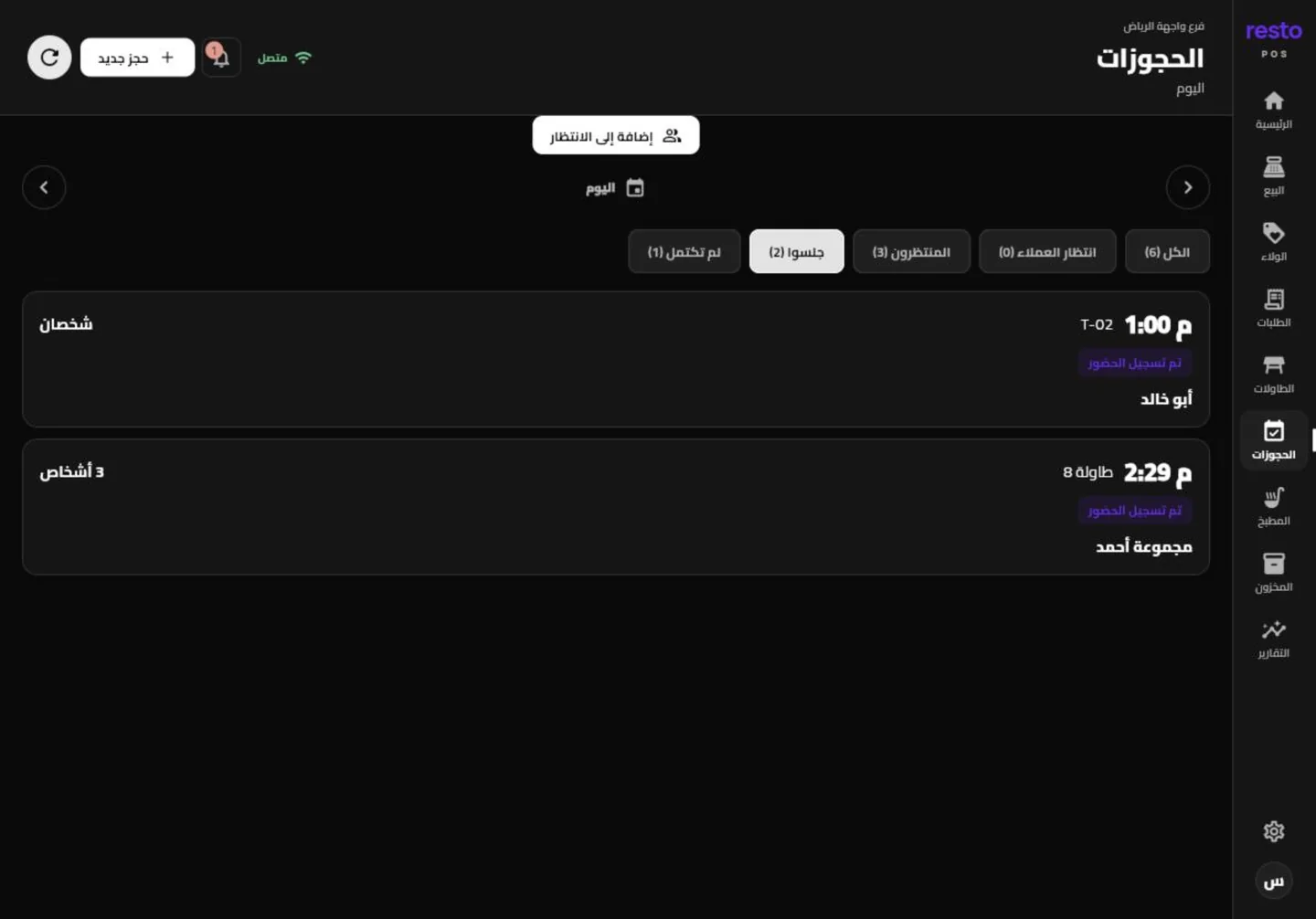
Today’s bookings and their states on one screen
Who checked in, who was seated, who never arrived and who cancelled, all in one list for the day. Open it from the dashboard or from the bookings screen in the till app.
A waiting list, and a queue the guest takes a number from
Anyone who walks in without a booking goes on the waiting list with one tap. A separate queue lets the guest take a number from his own phone with his name and mobile and no account, and shows him how many are ahead and roughly how long.
How to start
- Set your booking hoursPer day and per meal: start, end, slot length and closed days.
- Open booking on your siteThe booking page sits on your restaurant’s link beside the menu.
- Receive your guestsCheck them in or add the walk-ins, and the screen updates for the whole team.
Plans
Every plan and its price is on the home page, with no binding contract.
See the plansCommon questions
Is booking in every plan?
Table bookings and the waiting list come with every operations plan. The menu and loyalty plans carry no booking.
Does the guest need an account to book?
He signs in to your restaurant’s site before confirming, so he can come back to his bookings. The queue, by contrast, takes his number with his name and mobile and no account.
Can I see bookings on the iPad?
Yes. The bookings screen in the till app shows the day’s bookings and their states, and you can add a new booking from it.
What is the difference between a booking and the waiting list?
A booking is a time taken in advance. The waiting list is for someone who turned up without one and waits for the first table to clear.
Open booking to your guests
Set your hours and open the booking page today. No bank card and no binding contract.
Try it free